Start with a steady beat
Set the tempo, recognise the first beat and practise without rushing.
 Sowlea
Set your beat and start playing. A free metronome, right here in your browser.
Tap a beat: accent → normal → mute.
Lightweight web version with synthesized sounds. Keep this tab open while you play.
iPhone · iPad · Android
Tune your instrument, play along with drum grooves and record your ideas. Find the full Sowlea experience on your phone or tablet.
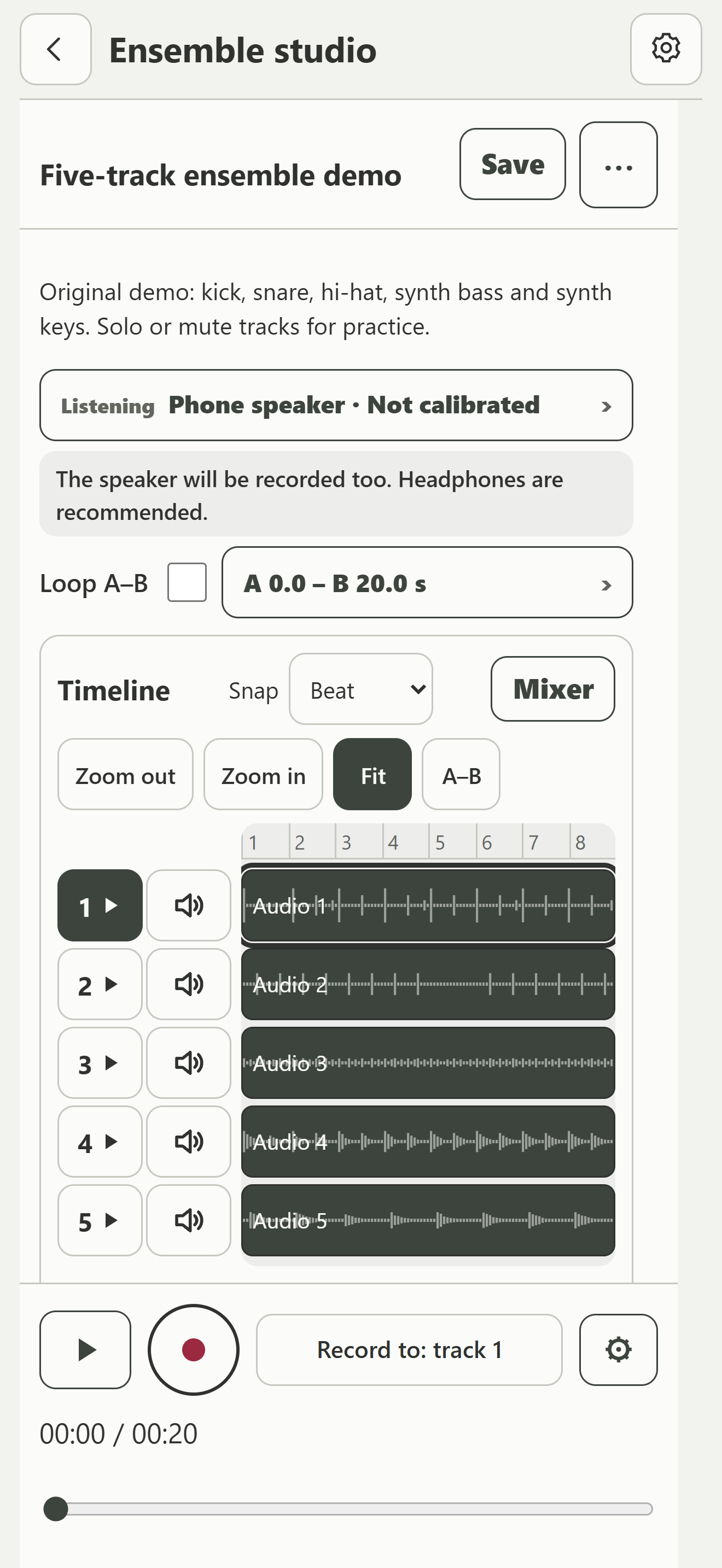
Record or import parts in the ensemble studio, then export MP3 or WAV. Two tracks free; five with Plus.


Free to download. Optional in-app purchase.
Features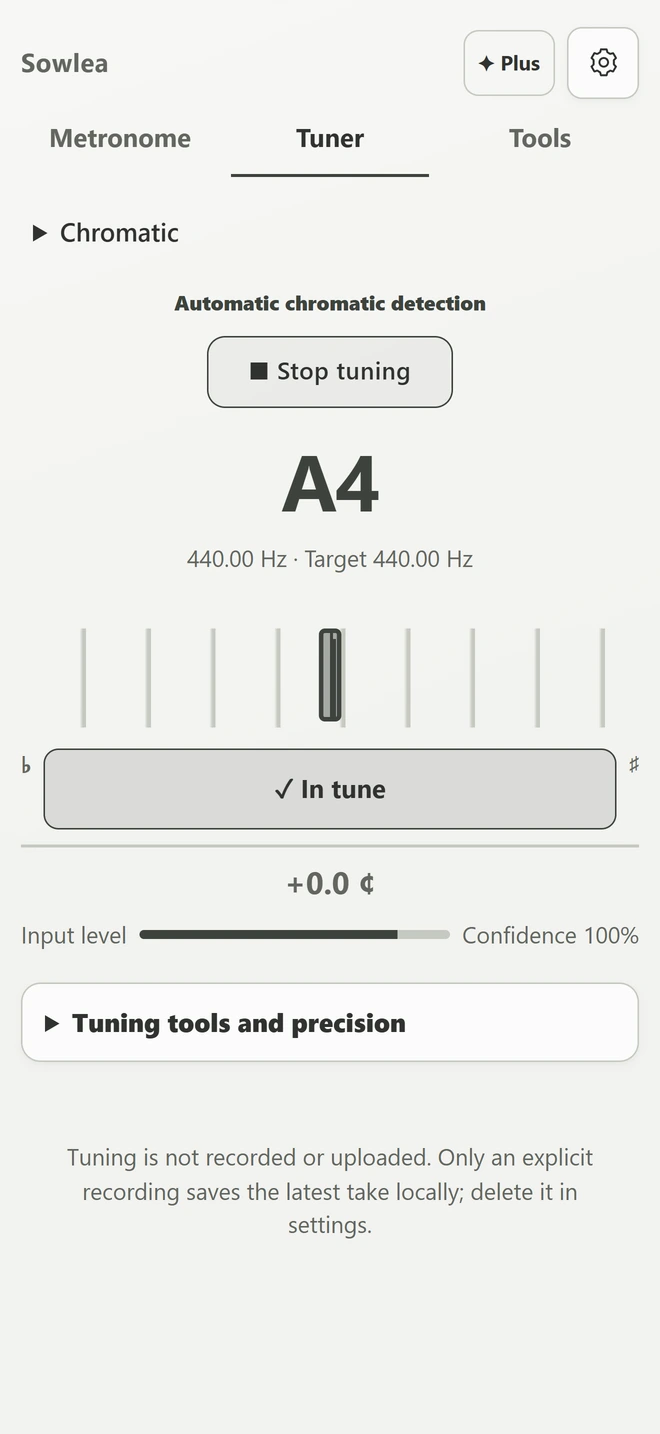
Web · 4/4
Choose a groove, play it, then change a few hits. These are independent, synthesized web demos—not the App’s recordings or full rhythm library.
Choose strength, then tap a step. Tap the same strength again to erase. On small screens, select a beat to edit.
Edits stay on this page only. These demo fills and synthesized sounds differ from the App.
Full sound library, saved rhythms and song arrangements are in the mobile App.
Three short guides to tempo, Tap Tempo and subdivisions.
Set the tempo, recognise the first beat and practise without rushing.
Tap the pulse you hear, then check that your BPM follows the music.
Keep the BPM steady while trying eighth notes and triplets.
iOS · Android
From learning a chord to recording a whole idea—explore all 12 feature areas below.
Tap Tempo, time signatures, subdivisions, accents, muted beats, click sounds, visual beat guidance and a practice timer.
Chromatic mode plus guitar, bass, ukulele, violin, viola and cello; automatic string detection, cents and reference tones. Plus adds strobe display and string offsets.
Drum kit, cajón/Latin percussion and electronic sounds; built-in grooves, editable hits and dynamics, and style-aware fills. Basic editing is free.
Plus: save and name multiple rhythms, create variations, search favorites, preview sections, reorder a song and export an arrangement as audio.
Record or import audio, trim, loop, align, adjust gain/pan, mute and solo. Save editable mixes and export MP3/WAV. Two tracks free; five with Plus. Up to five minutes per recording.
Import songs, set A–B loops, slow down, transpose and add a click. Plus adds progressive loops, saved sections and lesson-plan workflows.
Piano, classical guitar, steel-string guitar, electric guitar, electric bass and double bass. Keys, fretboards, chord pads and chord loops. Piano basics are free; other instruments and note recording require Plus.
Search chords, see guitar fingerings and piano positions, follow step-by-step demonstrations, and practise strumming, picking and chord changes.
Interval and chord recognition, sing-back and rhythm dictation. Introductory levels are free; Plus adds advanced levels and progress review.
Plus: fading click, fixed/random silent bars, silent beats, tempo ramp, Swing and polyrhythm. Create setlists with tempo, meter and count-in, and use a focused stage view.
Save practice sequences and lessons. Share files with teachers or students, optionally with audio. On-device beat/tempo analysis and MIDI/Bluetooth remote control include free Beta tools.
Change color themes and use dark mode to suit your taste and practice setting. The App also offers 30 interface languages, a practice log and local backup/import.
Core tools work offline without a Sowlea account. Recordings and projects stay on your device unless you choose to share them.
Beta compatibility varies by device and accessory. Bluetooth audio is not MIDI control. Cloud backup, online band synchronization and Ableton Link are not provided.
Sowlea Plus
Free core tools. Optional Plus is a one-time purchase with advanced features and no ads—not a subscription. Availability and price are shown in the App.